 Jennefer for
Download Jennefer. Start with a chat.
One download sets up Jennefer Hub. Chat with a model on your own computer, and open every Jennefer app you have access to from its sidebar.
Jennefer Setup 0.1.5 · 13.3 MB · Windows 10 and 11, 64-bit
The installer is code signed. It only runs files we signed.
Jennefer Hub 0.1.44 · 19.7 MB · macOS 12 or later, Apple Silicon
Open the disk image and drag Jennefer Hub to Applications. Intel Macs are not supported. Or install it with Homebrew:
brew install --cask jennefer-dev/tap/jennefer-hubSigned with our Apple Developer ID and notarized by Apple.
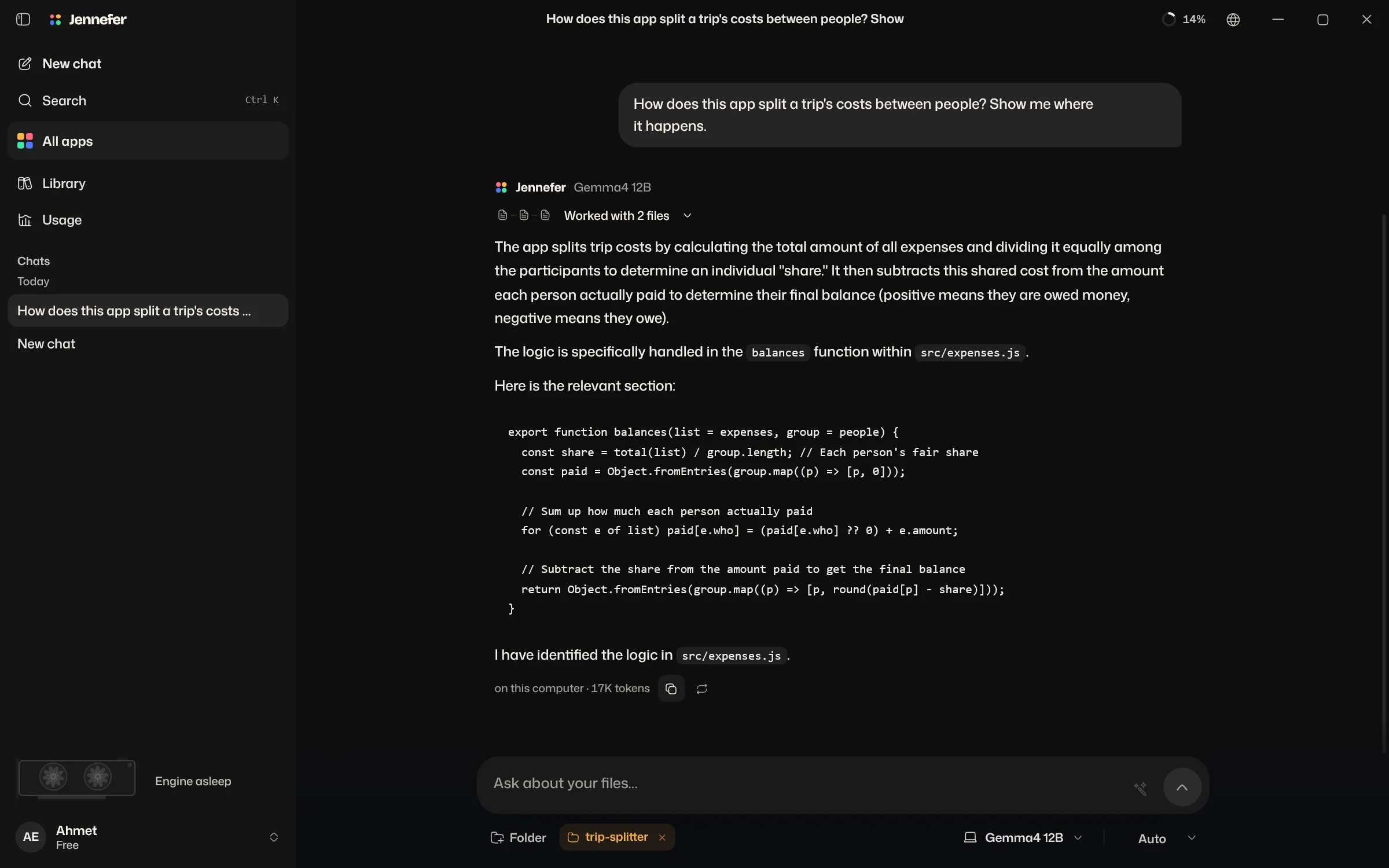
Jennefer Setup
Installing
- Download Jennefer HubGrabbing the latest Hub.
- Check the signature
- Install for your account
Jennefer Hub for Mac
Installing
- Download the disk imageGrabbing the latest Hub.
- Drag it to Applications
- Open Jennefer Hub
Jennefer Mobile for Android
Chat with your home model, answer your agents' approvals and build in your Cloud sandbox from your phone.
Three steps. Then you chat.
- 01
Run the installer
Pick where Jennefer lives. Models take 5 to 20 GB each, so a roomy drive helps.
- 02
Sign in to the Hub
One Jennefer account for every app. The Hub keeps the apps you have access to up to date.
- 03
Pick a model and chat
The Hub shows which local models fit your graphics card. Download one and start talking.
- 01
Open the disk image
Drag Jennefer Hub to Applications. The Hub installs your other Jennefer apps there too.
- 02
Sign in to the Hub
One Jennefer account for every app. The Hub keeps the apps you have access to up to date.
- 03
Pick a model and chat
Download a local model in the Hub, or use your own API, and start talking.
One Hub. Every app inside it.
The Hub installs and updates the apps. Each one opens when it is ready for you; this list is live.
Jennefer HubEvery app, one home.Open to everyone Jennefer IDEYour AI dev team, in an editor.Open to everyone
 Jennefer CloudDisposable machines for your agents.Open to everyone
 Jennefer StudioImages, video and campaigns with cloud models.Open to everyone
 Jennefer WorkshopDescribe an app. Get one that thinks.Open to everyone
 Jennefer HangarBots that fly while you work.Open to everyoneJennefer CLIThe crew, in your terminal.Open to everyone
 Jennefer CLI+The crew, in an 8-bit world.Open to everyoneJennefer MobileYour sandbox, in your pocket.Open to everyone
One Hub. Every app inside it.
The Hub installs and updates the apps in your Applications folder. Each one opens when it is ready for your Mac; this list is live.
Jennefer HubEvery app, one home.Open to everyoneJennefer IDEYour AI dev team, in an editor.Open to everyoneJennefer CloudDisposable machines for your agents.Open to everyoneJennefer StudioImages, video and campaigns with cloud models.Open to everyoneJennefer WorkshopDescribe an app. Get one that thinks.Open to everyoneJennefer HangarBots that fly while you work.Open to everyoneJennefer CLIThe crew, in your terminal.Open to everyoneJennefer CLI+The crew, in an 8-bit world.Open to everyoneJennefer MobileYour sandbox, in your pocket.Open to everyoneWant the offline edition with a license key and no account? See Jennefer Premium.
What you need.
Windows 10 or 11
64-bit.
A graphics card helps
Local models run fastest on a GPU. The Hub tells you what fits.
Room for models
5 to 20 GB for each model you download.
Internet to set up
For sign-in and for downloading the Hub, apps and models.
macOS 12 or later
On a Mac with Apple Silicon, M1 or newer. Intel Macs are not supported.
Memory helps
Local models run on the Apple Silicon GPU and share your Mac's memory. More memory fits bigger models.
Room for models
5 to 20 GB for each model you download.
Internet to set up
For sign-in and for downloading the Hub, apps and models.
What changed in each version is in the release notes. How we handle data is in the privacy policy.