CLI
CLI+
Jennefer CLI+ puts the CLI's agent on an 8-bit stage: monsters for every error, points only from passing checks, a live preview of your app, the Arcade, a room to decorate and a guild for your team. Covers commands, model and effort, @ mentions and MCP.

On this page
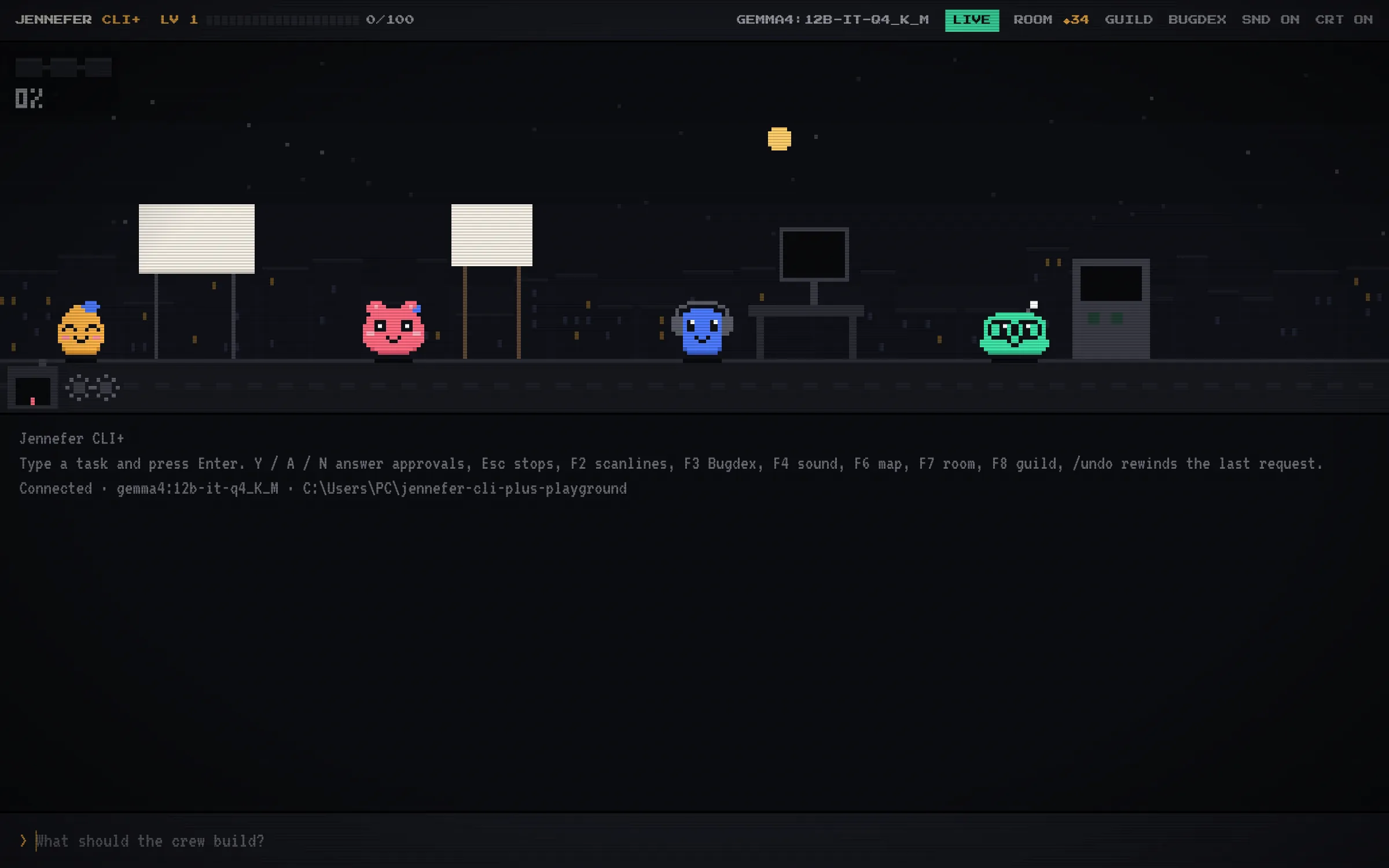
Jennefer CLI+ is the CLI as a game, in its own window. The real CLI agent does the work, on your model and your project, and every event plays out on a pixel stage with sound: monsters for errors, a kaiju when one keeps coming back, and points only from real work.
Start#
- 1
Open a folder
The first screen says Pick the project the crew works on. Choose OPEN A FOLDER, or a folder under RECENT. The crew reads and changes files only in this folder.
- 2
Give it a task
Type a task and press Enter. The prompt says What should the crew build?
- 3
Answer approvals
The crew asks before running commands. Press Y to allow, A to allow all, or N to deny.
CLI+ runs the CLI's agent with the same Engine and account: sign in through the Hub. Each conversation starts with the CLI+ default model from Hub > Models > Each app, or the Hub default, and /model and /effort change it for this conversation. See Model choice. By default one agent works; /team switches to your whole crew.
Keys and commands#
| Key | What it does |
|---|---|
| Esc | Stops the crew |
| F2 | Scanlines on or off |
| F3 | The Bugdex: every kind of bug you met |
| F4 | Sound on or off |
| F6 | The project map |
| F7 | Your room |
| F8 | The guild |
| F9 | The Arcade |
| Alt+E | Improves what you typed before you send it. The wand button next to the prompt does the same. See Improve a prompt. |
/undo | Rewinds the last request's file changes |
/new | Starts a new conversation |
Type / to see every command in a menu, grouped as Work, Project, Crew and Account. These work like in the CLI:
| Command | What it does |
|---|---|
/model [number|name|default|save] | Lists the models, or picks one for this conversation. default goes back to the default, and save makes the current pick the CLI+ default. |
/effort [level] | How long the model thinks: off, low, medium, high, xhigh, max or default. The HUD shows it. |
/cost | Tokens and estimated cost of this conversation. |
/enhance <request> | Puts an improved version of the request in the prompt. |
/mcp [name] [on|off] | Your MCP servers, and which ones the crew uses in this folder. Every tool call asks you first. See MCP servers. |
/team, /agents, /agent [name|off] | Switch between one agent and the crew, see who does what, or give every request to one agent until /agent off. |
Files and agents with @#
- Type @ to pick a file of the project from a menu.
- Start a request with @Name to give that one request to one agent of your team.
- Edit the team in Hub > Agents.
How the game works#
- The HUD shows your level and XP, the folder, the model and how full the context is.
- XP comes only from real events: a passing check (a test, build, typecheck or lint), a finished task, a fixed error, a beaten boss or kaiju, combos and flawless runs.
- Errors become monsters such as the Test Hydra, Type Kraken, Compile Golem and Lint Swarm. An error that keeps coming back becomes a kaiju.
- Installs arrive by delivery drone, a
git commitsaves a crystal, and/undorewinds. - When the agent starts your app's dev server, a CRT preview shows it, with RELOAD, OPEN IN BROWSER and STOP SERVER.
The Arcade#
Press F9, type /arcade or click the arcade machine to play a mini game while the crew works: BYTE SNAKE, BUG BLASTER, BRICK DEBUGGER, MERGE RALLY, PACKET HOP, PING and STACK OVERFLOW.
- When the crew needs you, the game pauses and shows APPROVAL NEEDED or THE CREW HAS A QUESTION. Press F9 to go back to the crew.
- With AUTO ON, the Arcade opens by itself when the crew works for more than 30 seconds.
/arcade auto offturns that off. - Games give no XP. XP comes only from checked work.
Room and guild#
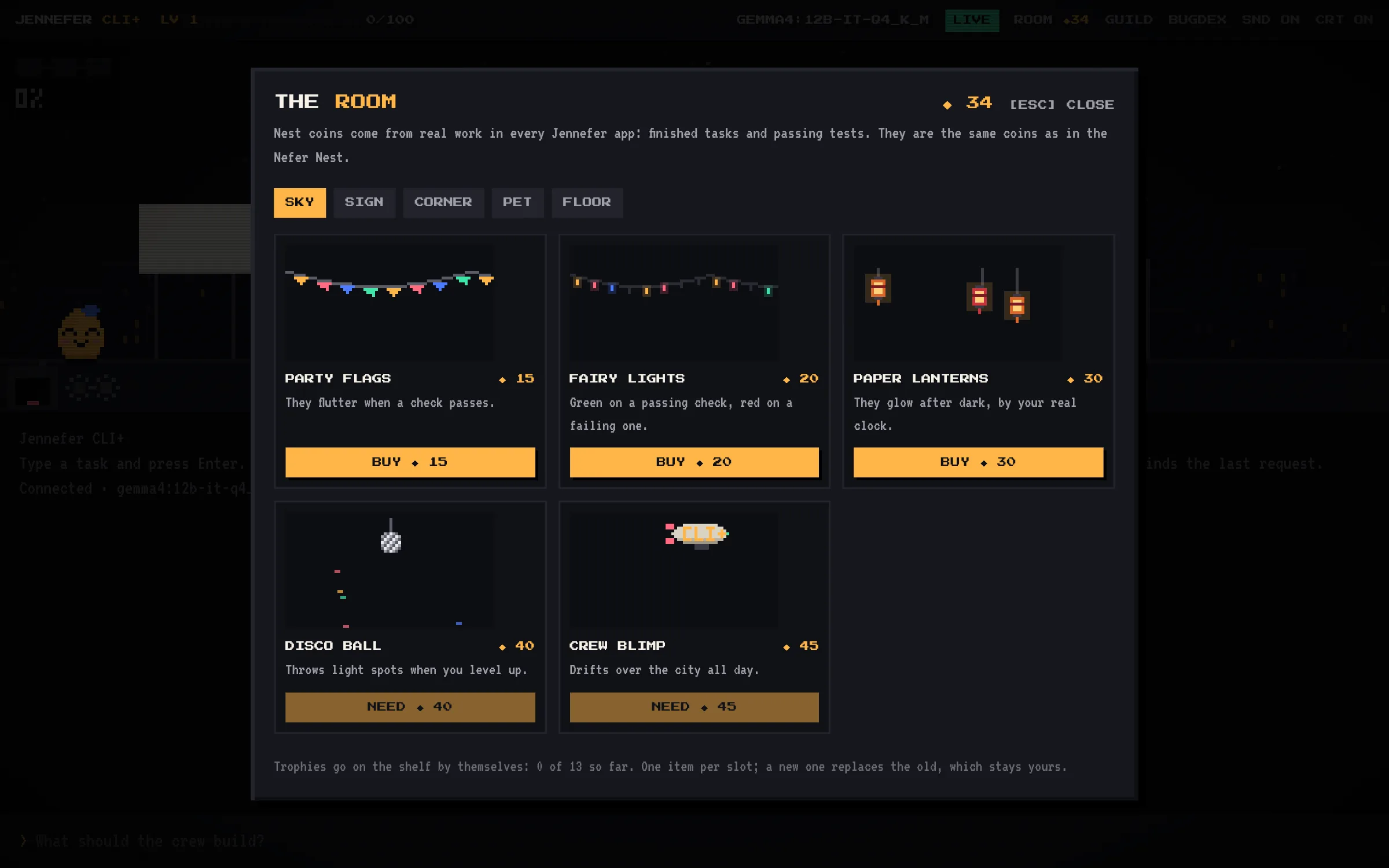
- Room (F7): decorate your room with Nest coins earned from finished tasks and passing tests.
- Guild (F8): for Jennefer teams. It is off until you turn on SHOW ME TO MY TEAM, and then shares only your first name and CLI+ level.
FAQ#
Is the agent in CLI+ different from the CLI?
No. CLI+ runs the CLI's agent, with the same approvals, tools and project notes. Only the screen is a game.
Can agents in CLI+ read web pages?
Yes, the pages you link, with the setting in Hub > Settings > Agents and the web. See Agents and the web.