Studio
Designs
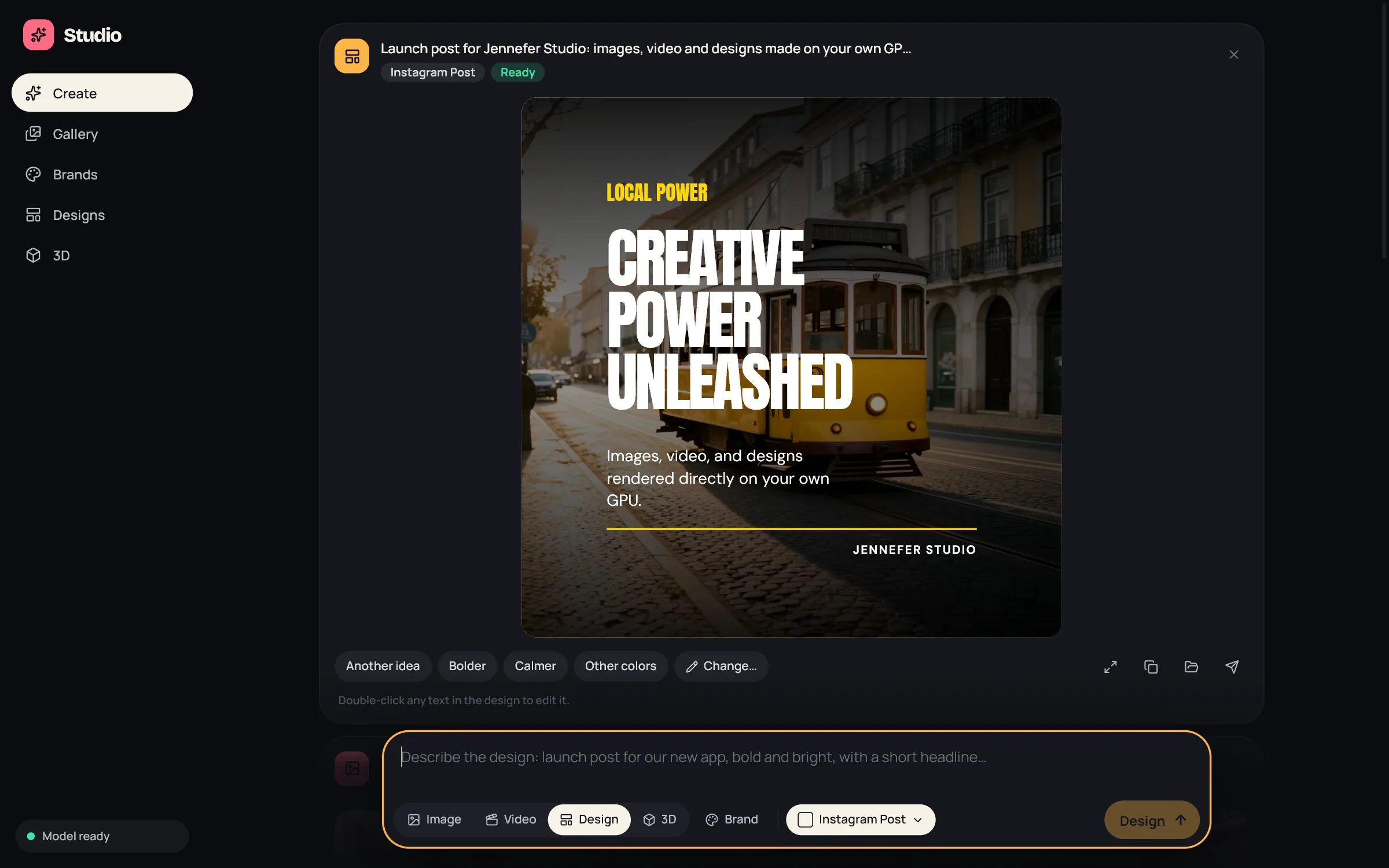
Make social posts, ads, thumbnails and banners with Studio's Design mode: pick a format and a brand, describe it, then refine it, edit text and make it in other sizes.

In Studio's composer, choose Design. Pick a format and a brand, describe the post, ad or cover, and choose Design. The Hub default model from Hub > Models writes the design, and the photo is painted on your GPU by the Image pack.
Formats#
| Platform | Formats |
|---|---|
| YouTube | Thumbnail 1280×720, Shorts cover 1080×1920, Channel banner 2560×1440 |
| Post 1080×1080 (the default), Portrait post 1080×1350, Story / Reel 1080×1920 | |
| TikTok | Video cover 1080×1920 |
| X | Post image 1600×900, Header 1500×500 |
| Post 1200×1200, Banner 1584×396 | |
| Post / ad 1200×630 |
How a design is made#
The card shows the steps: Planning the design, Choosing type and color, Building the layout, Checking the layout, and Painting the photo when the design needs one.
- The model composes the whole design, so layouts differ from brief to brief.
- Studio then checks the layout for problems such as cut-off text and low contrast, and asks the model to fix them, up to 2 more rounds.
- Without the Image pack, designs have no photo: only type, color and shapes.
- If the model fails, the card says the AI model could not make a design, with Open Models in Hub and Try again. A larger model usually helps.
Refine a design#
- Another idea, Bolder, Calmer and Other colors make a new version in one click.
- Change… puts the design in the composer, so you can ask for any change in plain words.
- Arrows switch between versions, for example 2 of 3. A design keeps its last 30 versions.
- Double-click any text in the design to edit it.
- Other sizes opens Make it in other sizes: pick formats and choose Make. Each size becomes a new design.
Use it#
- Copy image puts a PNG on your clipboard.
- Show in folder opens the PNG. Designs are saved in
.jennefer/studio/designs. - Send to the IDE, Cloud or Workshop.
- Hide from here removes the card from the feed. The design stays in Designs.
The Designs screen#
Designs lists your designs under Your designs. Start a design opens the composer in Design mode. Delete one with Delete this design?.
FAQ#
Which AI writes the design?
The Hub default model, set in Hub > Models. Studio has no model picker of its own. Larger models make better designs. See Model choice.
Can I use my own logo and colors?
Yes. Read them from your website in Brands and pick that brand.
Do designs count toward the daily image limit?
The design itself does not. A photo painted for it counts as one image.