IDE
Simple and Editor
Jennefer IDE has two views of the same chat: Simple, a focused conversation with your character, and Editor, the full Workbench. Learn what each shows, how to switch, and meet the four characters.

On this page
Jennefer IDE is your AI dev team in an editor. It has two views: Simple and Editor. Both show the same chat: the same conversation, the same running agents and the same approval cards. Switch with the Simple / Editor pill in the header, or press Ctrl+E at any time, even while agents work.
- A message you are typing stays in the box when you switch.
- Your choice is remembered. Editor is the default.
- Approval and question cards show in whichever view you are in.
Simple#
Simple is one centered chat with your 3D character. It is the lightest way to work with your agents.
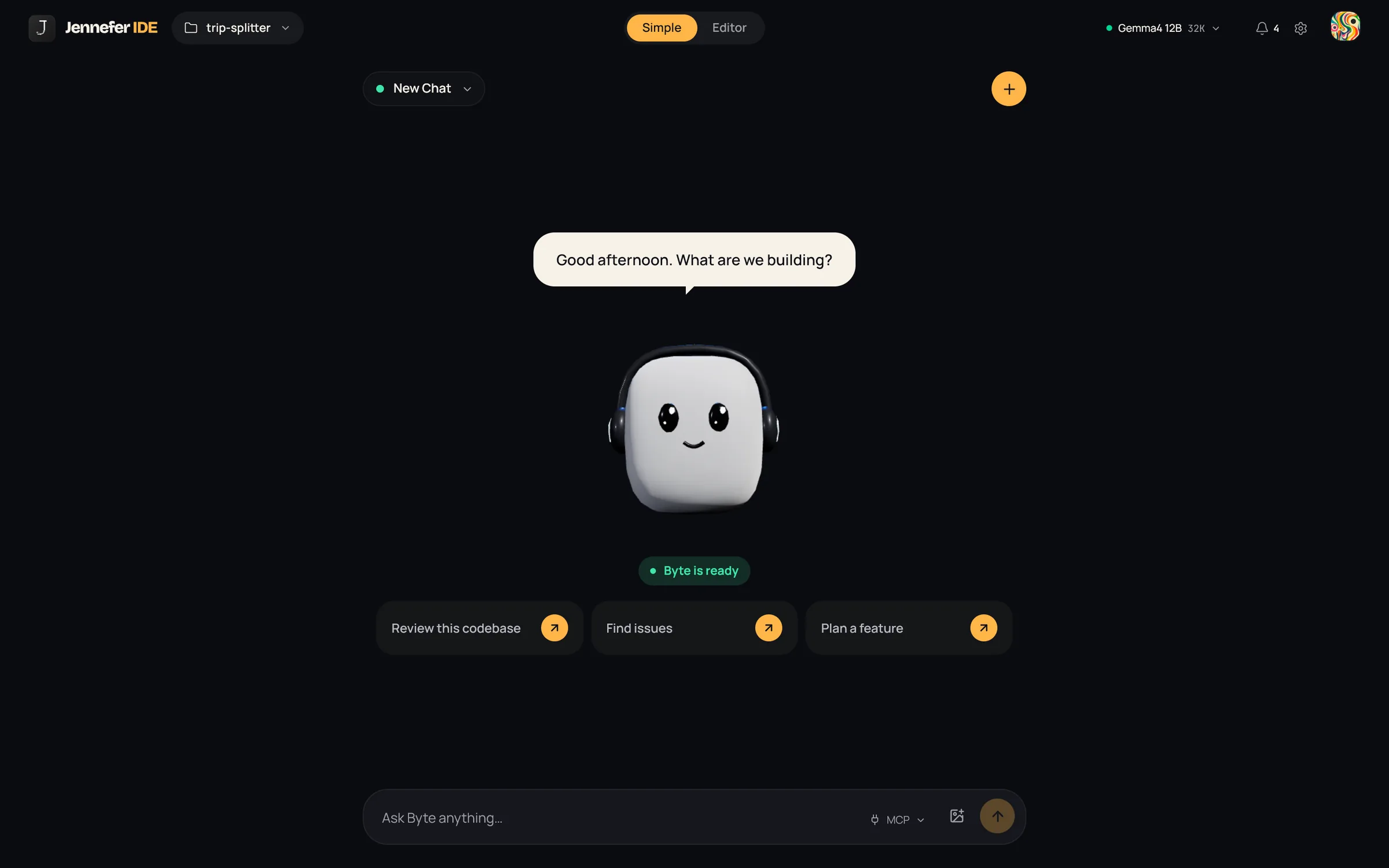
- The character's status line says whether it is ready, working or offline, and a speech bubble shows short updates.
- With an empty chat, suggestions get you started: Review this codebase, Find issues and Plan a feature.
- The message box says Ask your character anything… and has the MCP menu and an image button.
- Simple always runs the whole team. Pick a single agent or Plan first in Editor.
- After a run, a bar shows how many files changed. View changes opens a side-by-side diff without leaving Simple, and Editor opens the full workspace.
- Without a project folder you see Choose a project folder first, with Open a folder and New project.
- If you ask for a new project while the open folder is not empty, the agents create a sub-folder for it and work there.
Editor#
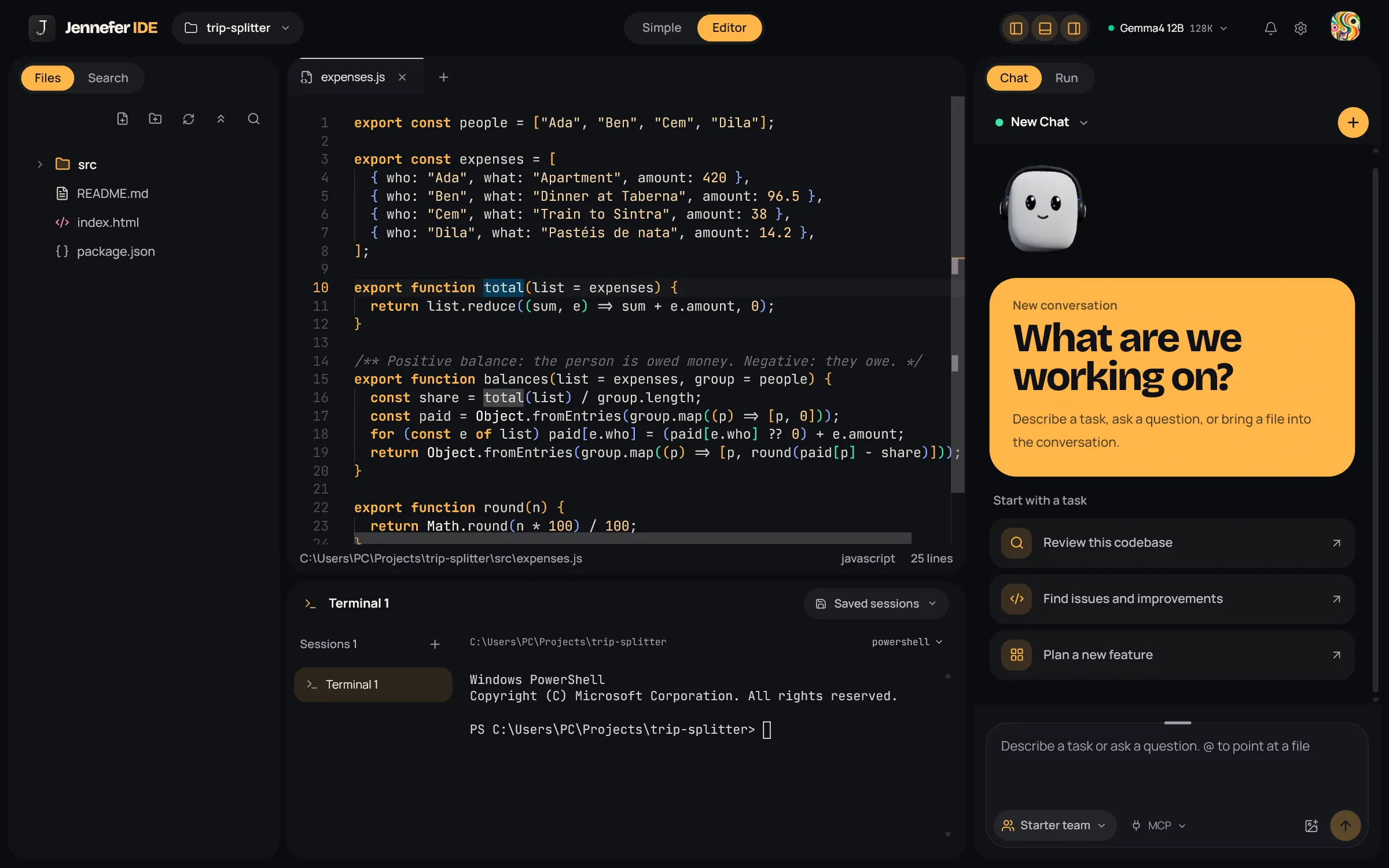
Editor is the full IDE: files and search on the left, the code editor and terminal in the middle, and Chat and Run on the right. The layout is fixed. Read The Workbench.
Characters#
Four characters keep you company. They show in Simple and in empty states. Pick yours in Settings > Appearance > Your Jennefer.
| Character | Personality |
|---|---|
| Byte | Headphones, always in flow. |
| Loop | Bow, loves a good plan. |
| Patch | Glasses and an antenna, spots bugs. |
| Pixel | Buns, cares about the details. |
FAQ#
Does the view change what the agents can do?
Mostly no. Simple always runs the whole team, and for a new project in a non-empty folder it creates a sub-folder. Otherwise both views use the same chat.
Where are the old layout presets, activity bar and Agents Studio?
They are gone. The Workbench has one fixed layout, and agent teams are edited in Hub > Agents.