Hub
Packs
Install, pause, resume and remove the packs that run on your computer from Hub > Packs: Image, Image Edit, Video, Video + Audio, the HD add-on and the Workshop pack.

On this page
Packs are optional downloads that run on this computer. You install a pack once in Hub > Packs, and every Jennefer app uses it. Studio needs the image and video packs, and Workshop needs the Workshop pack.
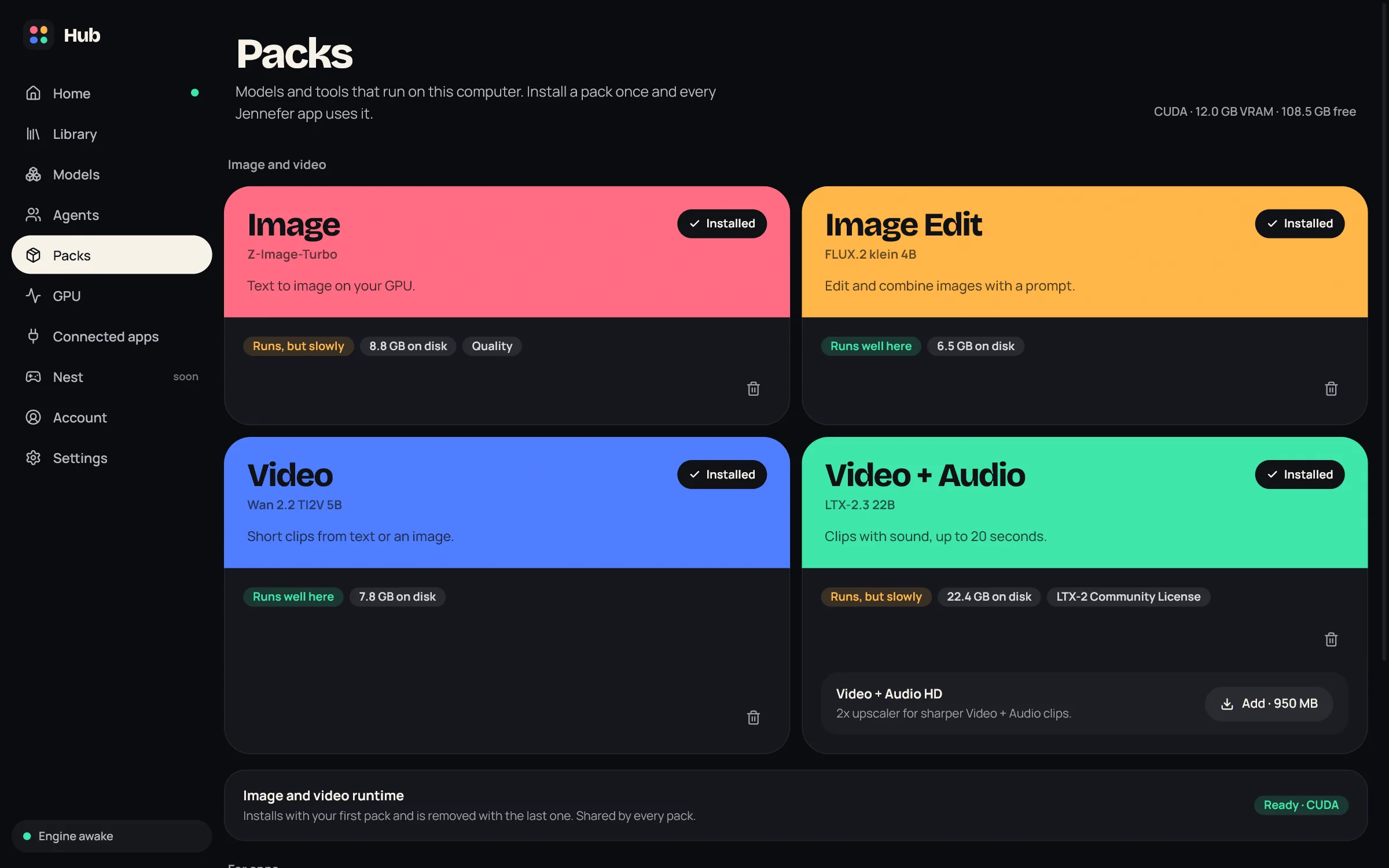
The top right of the screen shows your graphics engine and memory, for example CUDA · 12.0 GB VRAM, and the free disk space.
Available packs#
| Pack | Model | What it does | Download |
|---|---|---|---|
| Image (Lite or Quality) | Z-Image-Turbo | Text to image on your GPU. Used by Studio images and by photos in Studio designs. | About 6.7 GB (Lite) or 9.4 GB (Quality) |
| Image Edit | FLUX.2 klein 4B | Edit and combine images with a prompt. | About 7 GB |
| Video | Wan 2.2 TI2V 5B | Short clips from text or an image. | About 8.3 GB |
| Video + Audio | LTX-2.3 22B | Clips with sound, up to 20 seconds. | About 24 GB |
| Video + Audio HD | Add-on | 2x upscaler for sharper Video + Audio clips. | About 1 GB |
| Workshop | Node.js and app packages | What Workshop uses to build and run your apps. Listed under For apps. | About 150 MB |
The image and video packs share one Image and video runtime. It installs with your first pack and is removed with the last one. Sizes are approximate: the install button shows the exact size, including the runtime when it is not installed yet.
Will it run here?#
Each card has a fit label for this computer: Runs well here, Runs, but slowly, Needs a bigger GPU or Speed unknown. The labels warn you, but they do not stop an install.
| Pack | Least GPU memory | Runs well with | System memory |
|---|---|---|---|
| Image | 5.5 GB (Quality: 15 GB) | 15 GB | 15 GB |
| Image Edit | 6 GB | 10 GB | 15 GB |
| Video | 6 GB | 10 GB | 15 GB |
| Video + Audio | 11.5 GB | 16 GB | 30 GB |
- NVIDIA cards use CUDA. Other graphics cards on Windows use Vulkan, which is slower.
- Without a supported GPU, Packs says Image and video packs need a GPU this computer does not have.
- The Workshop pack needs no GPU. It is available on Windows only.
Install, pause and resume#
- Choose Install with the size on a card. Progress shows Starting, the downloaded amount, Checking the files and Unpacking. Every file is checked before it is used.
- Pause stops a download. The part you downloaded stays, and the button becomes Continue with what is left.
- Packs with a license ask first. The Video + Audio pack and its HD add-on use the LTX-2 Community License: Read the license, then Accept and install.
- If the disk is too full, the Hub says how much space is needed and how much is free.
Remove a pack#
Use the trash icon on a card. The Hub asks Remove this pack? What you made with it stays. Your images and videos are kept. Removing Workshop keeps your apps. A paused download can be dropped with Discard the downloaded part?.
Packs and plans#
Installing packs is free on every plan. Daily limits apply when Studio makes something: on Free, 100 images and 3 videos a day. See Studio overview.
FAQ#
Where are the packs stored?
In .jennefer/packs in your user profile.
Do packs need an internet connection?
Only to download. Studio also checks in with Jennefer before each image or video to count the daily limit.
Is there a pack for 3D or designs?
No. Studio's designs and 3D models use the Hub default model (Hub > Models). Designs use the Image pack for photos when it is installed.