AI agents
Team runs
How a whole-team run works from request to closing report: routing, the task plan, dispatching, verification, self-healing, the decision log, and where to follow it in the Run view.

On this page
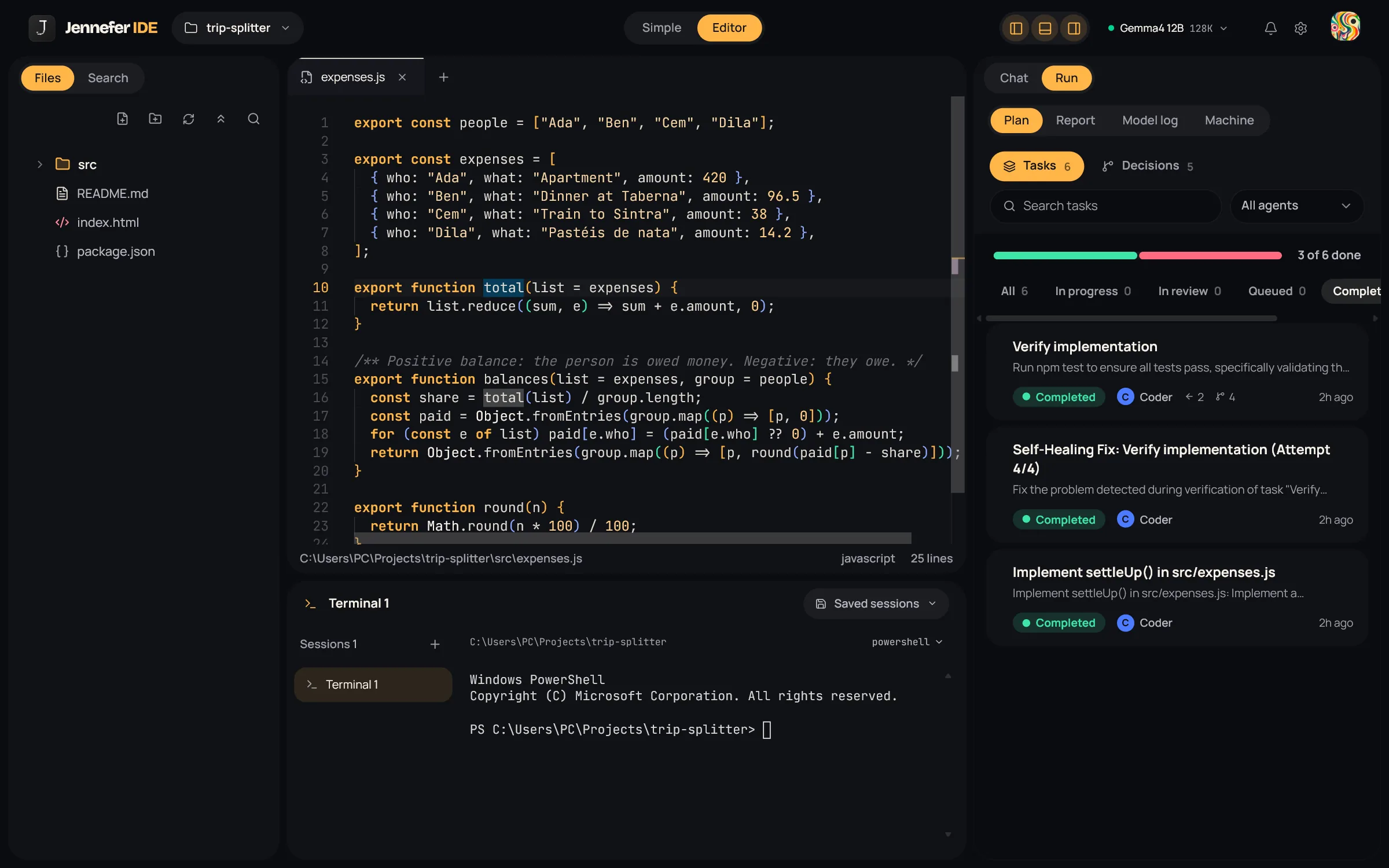
When The whole team works on your message, Jennefer's team engine, Living Organization, turns your request into tasks with dependencies, hands each task to the right agent, checks the work and records the decisions it made. You follow it in the Plan tab of the Run view.
How a team run works#
- 1
Routing
The lead decides whether your message is a question, needs a clarifying question, asks for a plan only, or asks for work. A greeting or a simple question is answered right away.
- 2
Planning
The planner reads your file tree, the files you @ mention and any specs, then builds a set of tasks with dependencies and the abilities each task needs. It does not assume a technology. A vague goal leads to a question instead of a guess.
- 3
Baseline check
Before work starts, existing build errors are measured. Only new errors can fail a task, so problems that were already there do not block the run.
- 4
Dispatching
Each ready task goes to an agent that can do it. Tasks that write files or run commands only go to agents with those tools. The lead plans and never implements. If nobody on the team can do a task, you are told.
- 5
Execution
Agents work on their tasks. Results of finished tasks are passed to the tasks that depend on them. Replies that only state an intention, or were cut off, do not count as done.
- 6
Verification
Finished work passes a check, described below.
- 7
Closing report
The lead sums up the run from real numbers: files changed, and whether the check actually ran.
Parallel tasks run at the same time only up to the Parallel agents setting in IDE Settings. The default is one at a time.
The verification check#
The planner can name a check command. If it does not, Jennefer picks one from the project:
| Project | Check |
|---|---|
| Rust | cargo check |
| Go | go vet ./... and a build |
| Python | python -m compileall |
| Node | The project's build, test or typecheck script, otherwise a syntax check with node --check |
| Anything else | The files exist and are not empty |
These checks run without an approval card. When nothing could be checked, the report says so instead of claiming success. See Approvals and safety.
Self-healing#
- Check failed: a fix task is created, for example Self-Healing Fix: Verify implementation (Attempt 1/4), and the check runs again. After four attempts the task fails.
- Missing spec: an Analyst task is added to write it.
- Review rejected: the task goes back to the queue with the reviewer's feedback.
There are guard rails. The same blocker more than three times fails the task. Environment problems, such as a missing program, a PATH issue, a PowerShell execution policy or a timeout, are reported to you instead of retried in a loop. When a task fails, the tasks that depended on it are cancelled.
The decision log#
Important choices are written down as decision records: the problem, the criteria, the alternatives considered and the outcome. Records are never rewritten. A new decision can supersede an older one, so you can see why the project looks the way it does. Find them in Run > Plan > Decisions.
The state file#
Run state is saved in your project at .jennefer/dag_state.json. This is how a run can be continued later. Agents cannot see the .jennefer folder. You may want to add .jennefer/ to your .gitignore.
Stop and continue#
- Stop: choose Stop generation in the chat. A stopped run is never reported as completed.
- Continue: send
continue. Failed, cancelled and pending tasks run again, and completed tasks are kept. - Closing the IDE stops the run. Nothing keeps running on a server.
FAQ#
Why did my run stop at one failed task?
A failed task cancels everything that depended on it. Fix the cause, or ask the agents to try again, then send continue.
Does it work with small local models?
Yes. Jennefer trims old conversation turns to fit the context window. Larger models usually plan better. See Models.
Who picks the agent when several could take a task?
The team engine, by what each agent can do. The old Decision System setting was removed.